DJs & musicians
Mark drops, build playlists, and rehearse sets with precise cue control.
OpenmacOS + iOS
Mark moments, jump instantly, and stay in control of your audio—across review, production, and live workflows.
Core capabilities
Product Preview
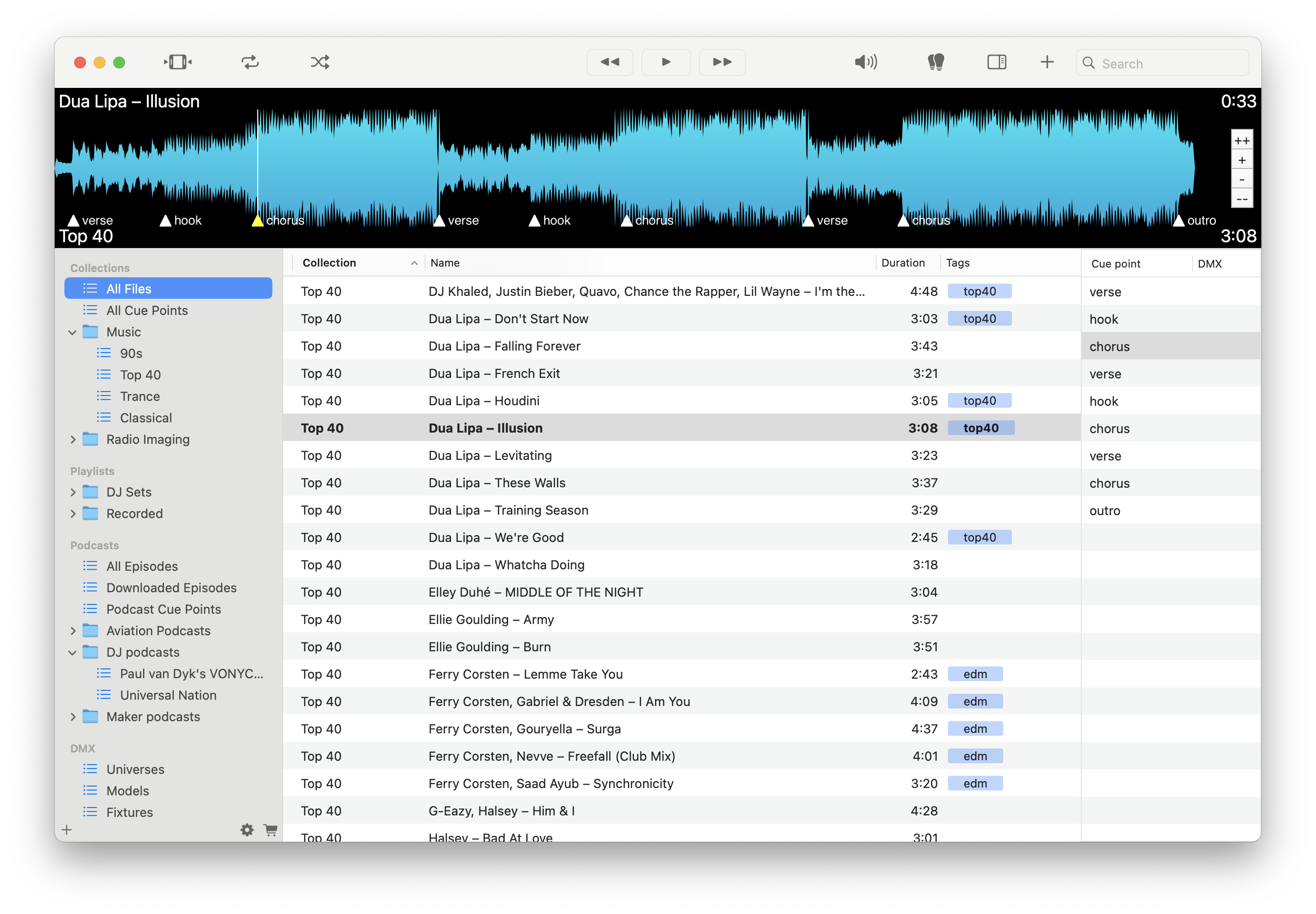
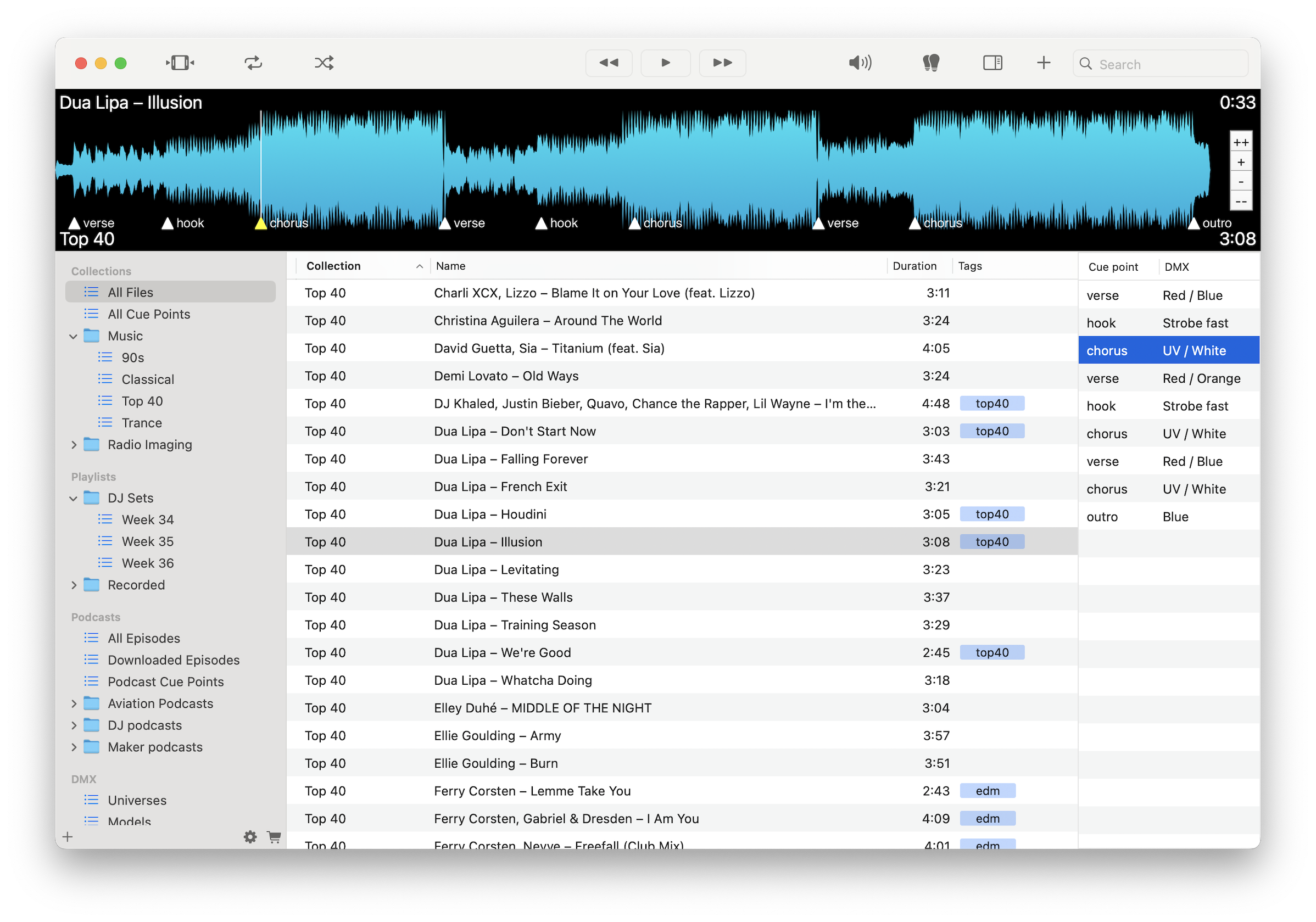
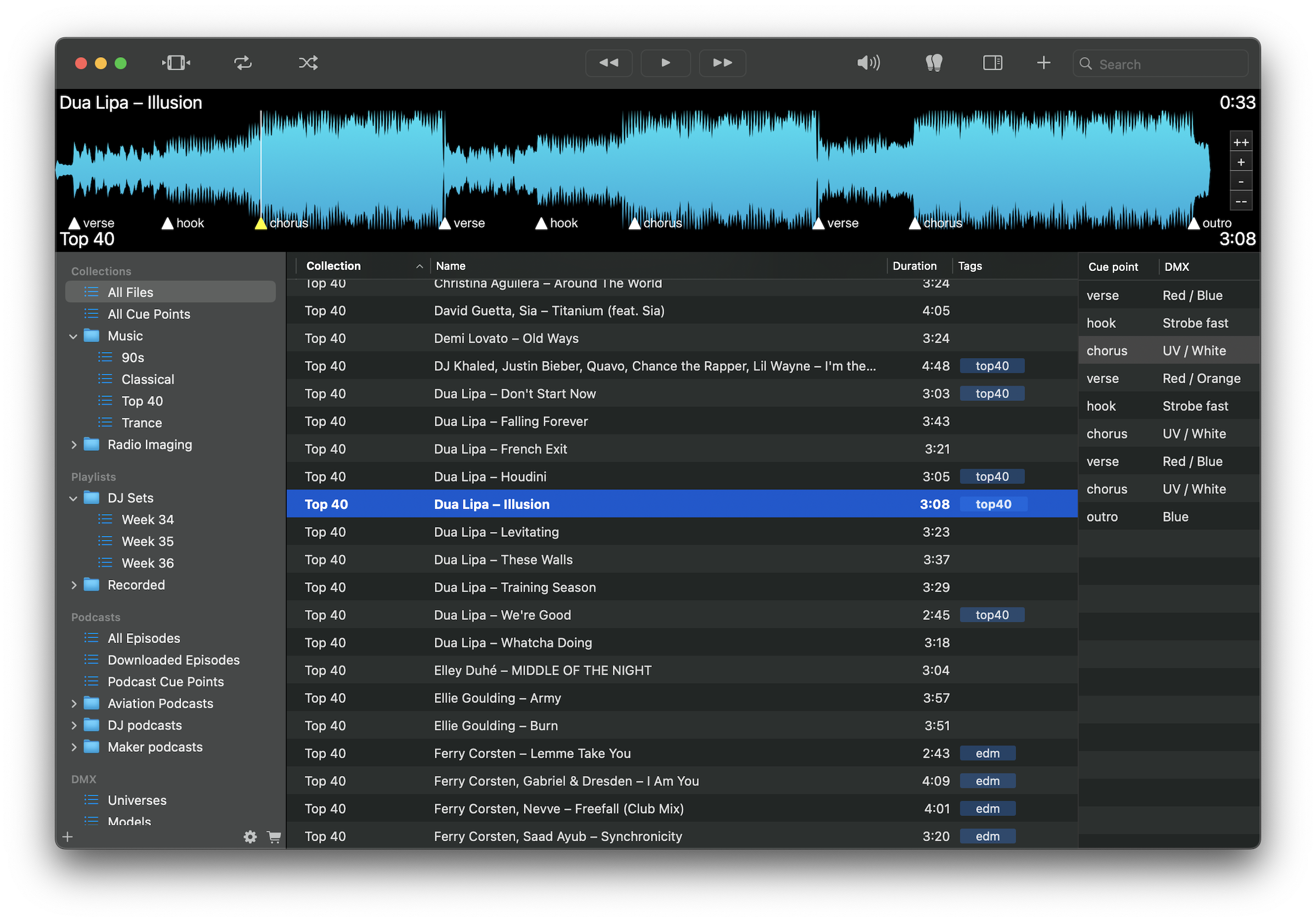
Cue points, waveform navigation, playlists, and local playback in one Mac interface.
Select a workflow to see the dedicated page.
Mark drops, build playlists, and rehearse sets with precise cue control.
OpenTrigger audio, lighting, and service cues from one reliable system.
OpenMark quotes, jump to timestamps, and transcribe with precision.
OpenMark insights, jump to moments, and organize interviews with precision.
OpenMark segments, time transitions, and organize broadcast audio with precision.
OpenMark song sections, run rehearsals, and control playback with precision.
OpenBookmark sync moments, compare tracks, and organize music with precision.
OpenBookmark standout moments, tag tracks, and review demos with precision.
OpenMark choreography, repeat sections, and run rehearsals with precision.
OpenMark cues, compare tracks, and prep audio for editing with precision.
OpenControl simulation audio, mark events, and run training scenarios with precision.
OpenMark intervals, control timing, and run class playlists with precision.
OpenTag segments, organize episodes, and prep edits with precise audio control.
OpenMark lessons, replay sections, and organize teaching audio with precision.
OpenMark target sounds, replay phrases, and structure therapy sessions.
OpenMark flubs, review takes, and organize narration with precision.
OpenMark highlights, replay moments, and enjoy your music with precision.
OpenListen in high resolution with precise control and instant recall.
OpenBookmark statements, jump to timestamps, and manage legal audio securely.
OpenTag quotes, transcribe interviews locally, and export timestamped notes.
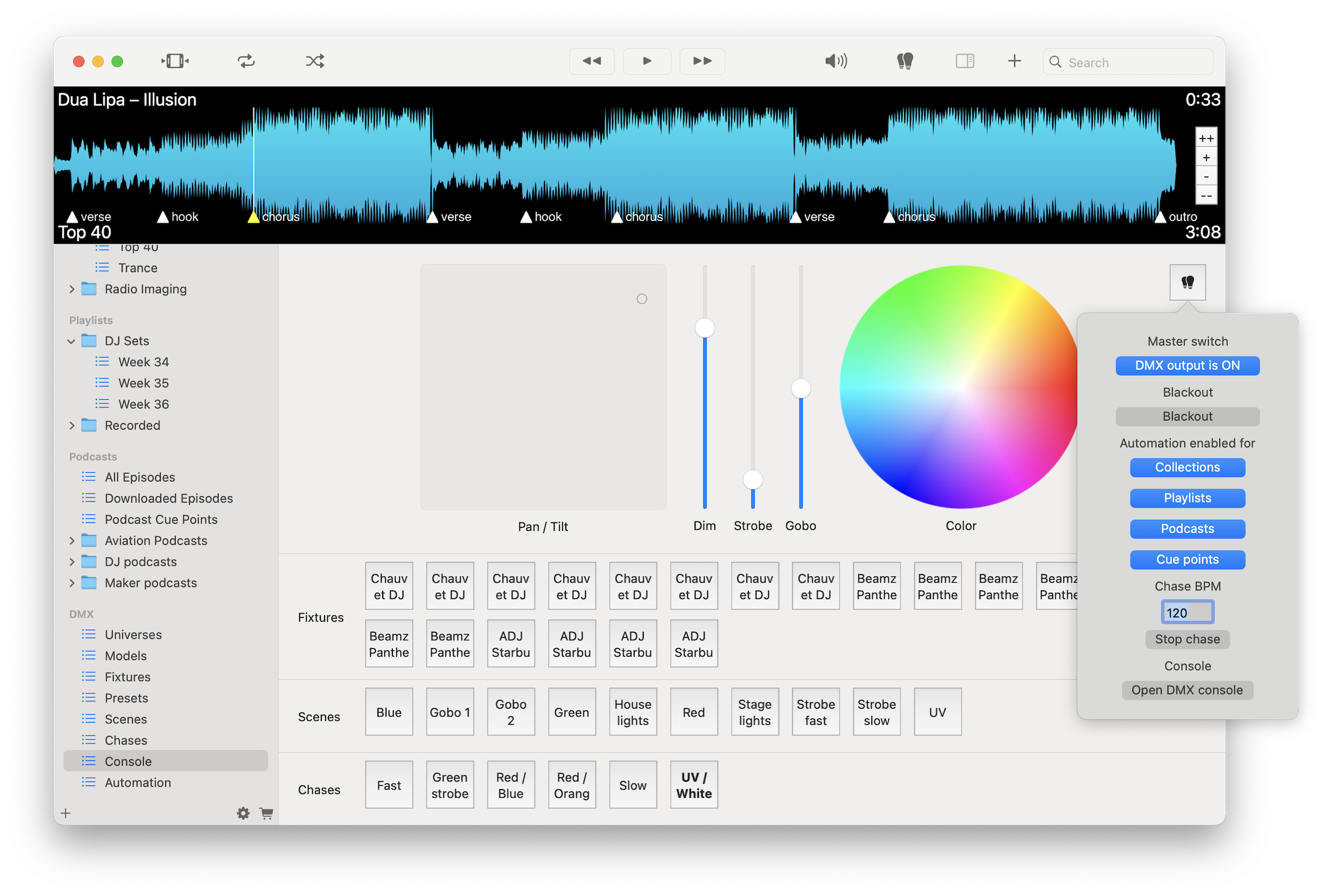
OpenCore Visual Cue features for cue points, waveform navigation, local AI transcription, playlists, podcasts, DMX control, and high-resolution playback.
Mark important moments in any file and jump back instantly without scrubbing.
Use zoomable, cached, GPU-rendered waveforms for fast visual seeking.
Turn speech into text while keeping source audio files local.
Organize audio with folders, tags, labels, metadata, drag-and-drop ordering, and .m3u export.
Subscribe to podcasts, download episodes locally, and add cue points or bookmarks.
Create scenes, presets, chases, cue-point automation, MIDI mappings, and fixture controls.
Play MP3, FLAC, WAV, AIFF, M4A, and more with direct output, Hog Mode, and automatic sample-rate switching where supported.
Drag files to and from Finder or compatible audio apps without altering source audio files.
Visual Cue is built around local files and precise control. Your audio stays on your device, and your workflow stays predictable.
Audio files remain on your Mac, including workflows that use built-in transcription.
Cue points, bookmarks, tags, and library metadata help you organize work without modifying the original files.
Use offline playback, waveform navigation, cue points, playlists, and reviews without relying on an internet connection.
Download free and try the core app. Unlock advanced modules with a subscription or one-time purchase.
Download on the Mac App Store